
A pairing is the record of one male put to one female for a season. Create it when you first introduce them; everything after that is logged against it.
Open the breeding dashboard
Pairings in the sidebar opens the breeding dashboard: current pairings on top, finished ones below.
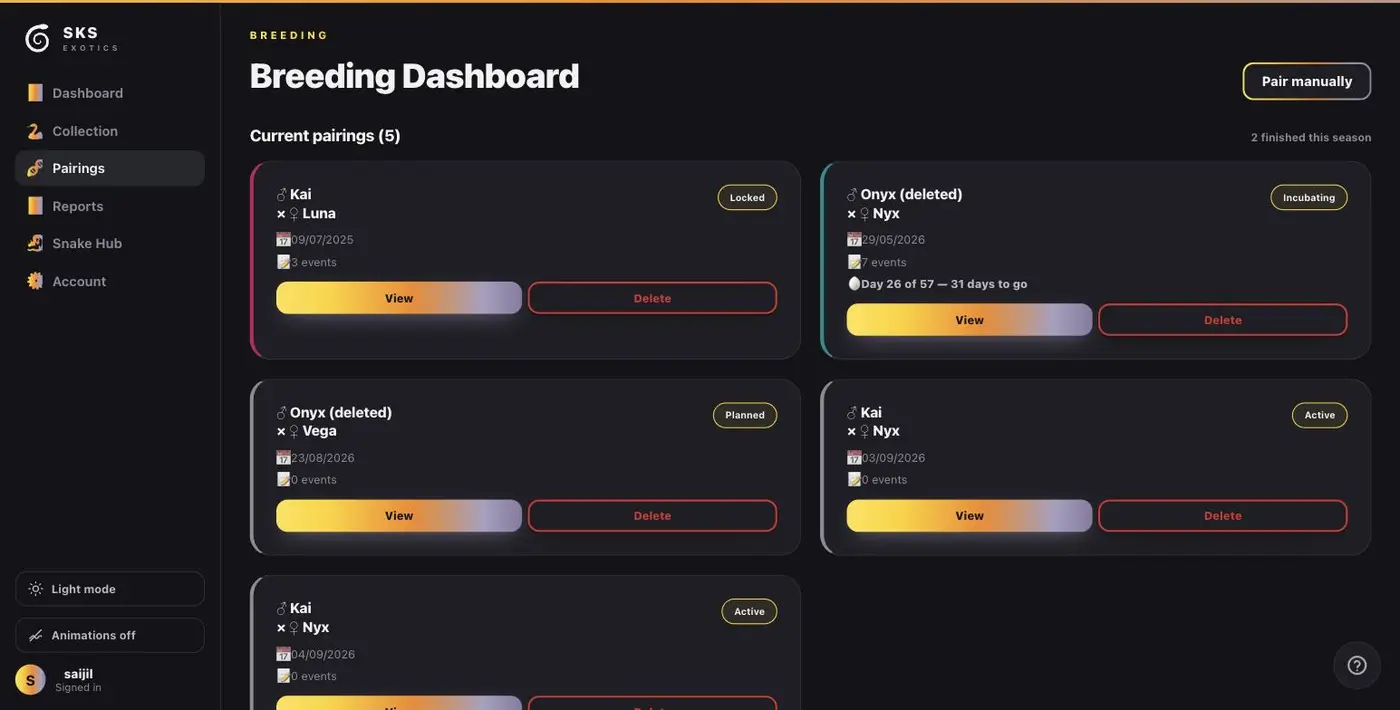
Each card shows the sire and dam, the status, the date it started, how many events are on it, and — once eggs are in — the incubation countdown.
Create the pairing
Press Pair manually at the top right.
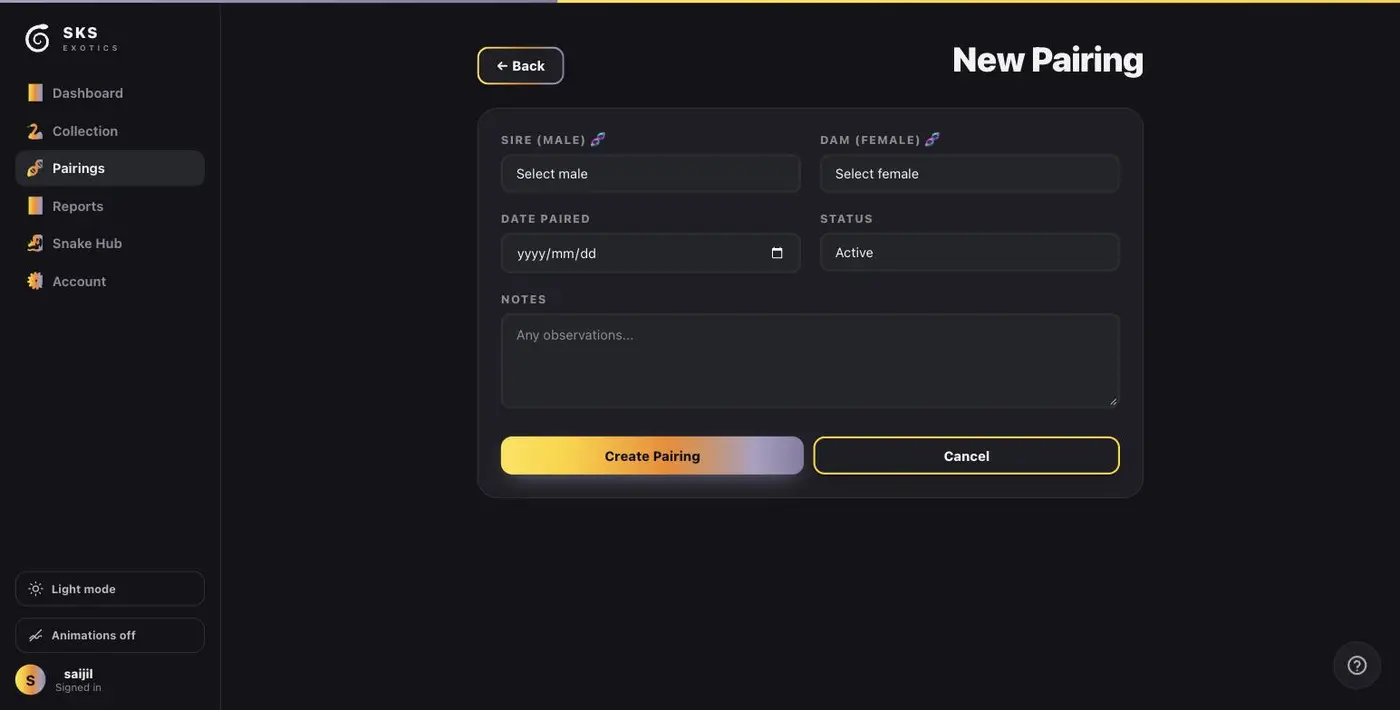
- 1. Sire (male) — only males in your collection are offered. If the male you want is missing, his sex is not set on his profile.
- 2. Dam (female) — same, for females.
- 3. Date paired — the day they went together.
- 4. Status — leave it on Active for a live pairing, or set Planned for one you intend to do but have not started.
- 5. Notes — anything worth remembering about the introduction.
Press Create Pairing.
What you get straight away
The little DNA icon beside each name means the app already knows that animal's morphs. Once both are selected it can work out the odds for every possible hatchling from the pair — before you commit to it. That is on the pairing's own page and in the breeding report.
Pairing two animals whose morphs you have not entered still works, but you get no odds. Five minutes on the Morphs field is what buys that.
Next
Creating the pairing is the start. Logging what happens as the season runs is covered in Updating a pairing through the season.