
Everything about your account lives on one page. Account in the sidebar.
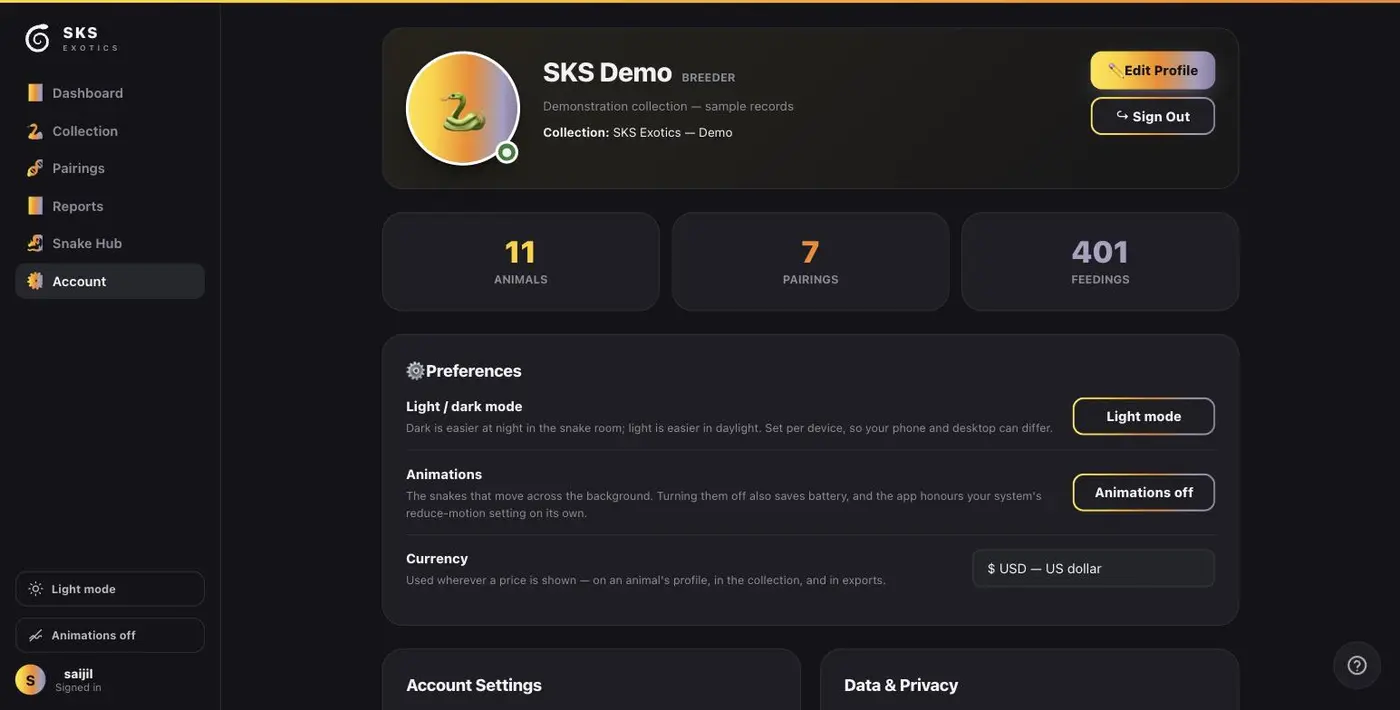
The top shows your display name, your collection name, and counts of animals, pairings and feedings on file.
Editing your profile
Press Edit Profile.
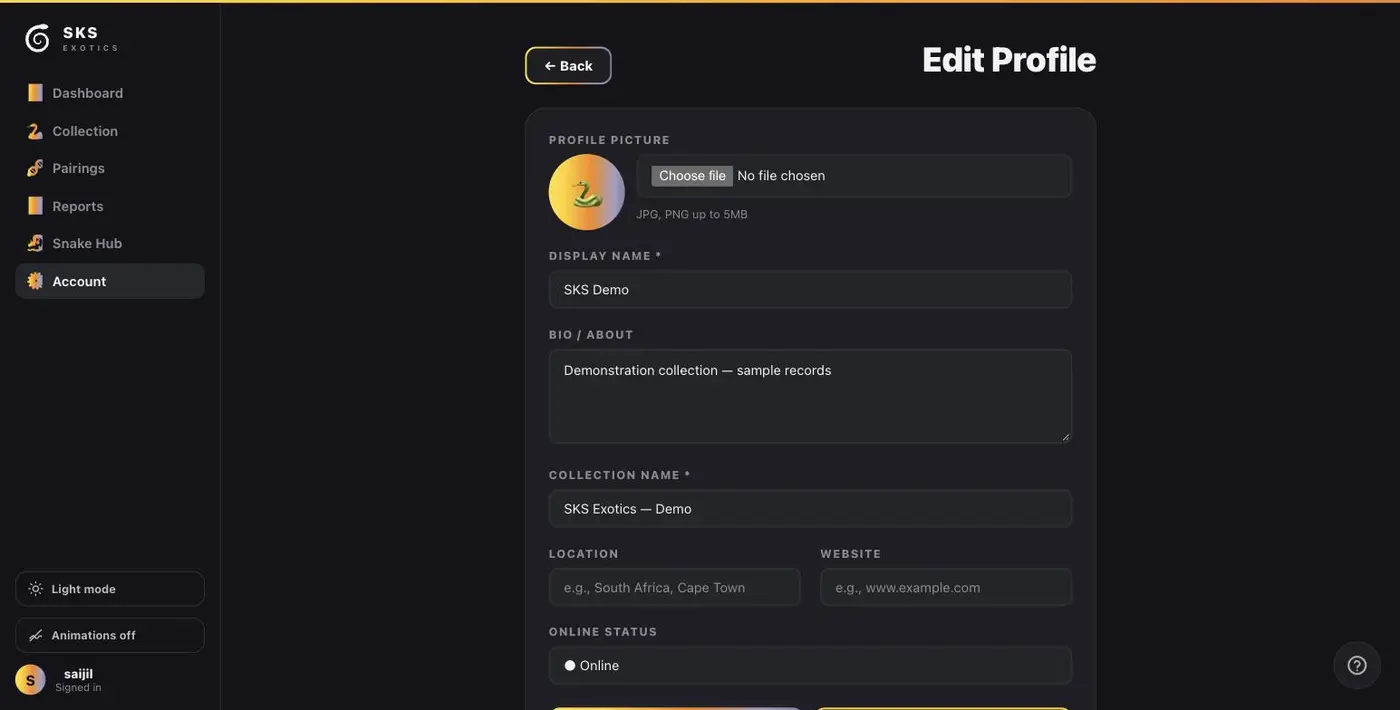
- 1. Profile picture — JPG or PNG, up to 5 MB.
- 2. Display name — required. What you are called around the app.
- 3. Bio / About.
- 4. Collection name — required. Appears on exports and reports, so it is worth setting to whatever you would want a buyer to see.
- 5. Location and 6. Website — both optional.
- 7. Online status.
Save at the bottom.
Preferences
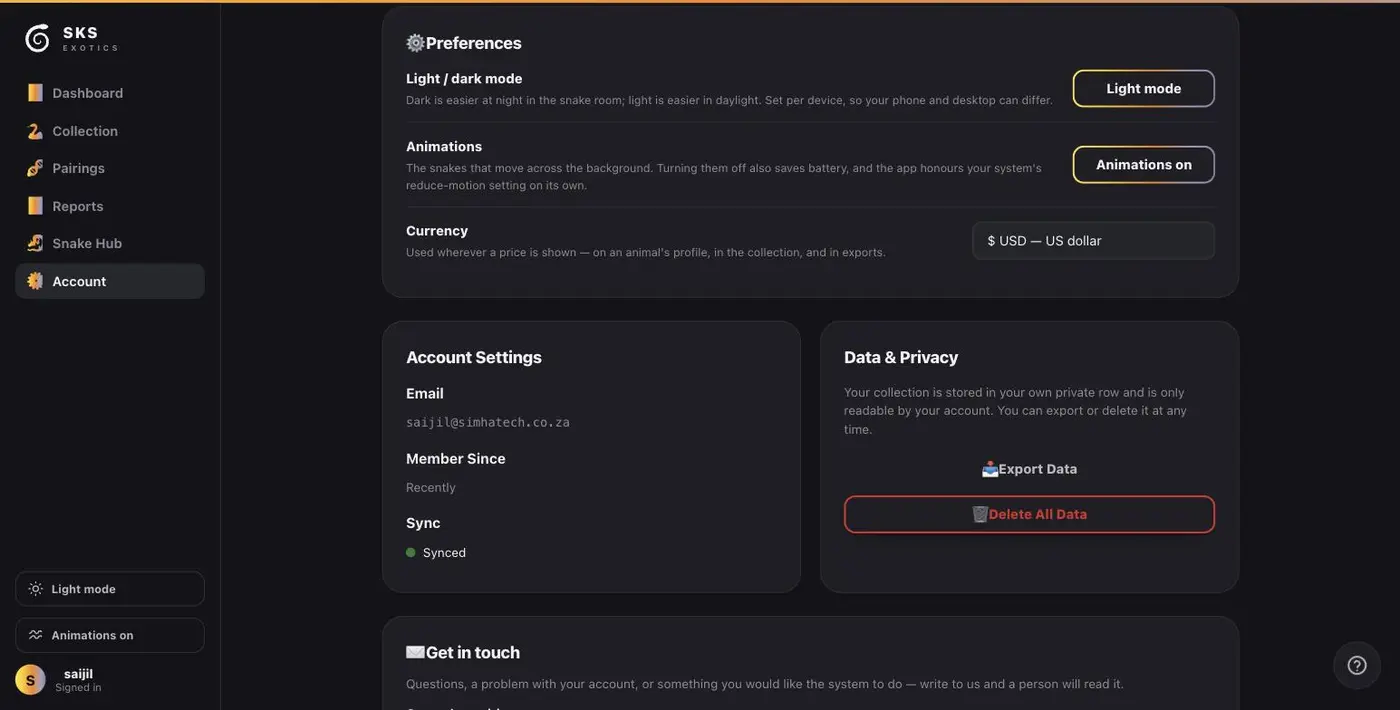
- Light / dark mode — set per device, so your phone and your desktop can differ. Dark is easier at night in the snake room.
- Animations — the snakes that drift across the background. Turning them off saves battery, and the app honours your system's reduce-motion setting on its own.
- Currency — used wherever a price is shown: animal profiles, the collection, exports and the financial report.
Account settings
Your email, when you joined, and your sync status. Change password is here. A green Synced means everything on this device has reached the server.
Your records are yours
- Export Data downloads everything — on every plan, including the free one.
- Delete All Data clears the collection but keeps the account.
- Delete my account removes both, permanently.
Nothing is ever held hostage. Export works on the free plan, and if you stop paying, your records stay exactly as they are — you simply cannot add beyond the free limits until you start again.
Need a hand?
The Get in touch box at the bottom of this page reaches a person, and the reply comes back to the email on your account.